New Monitor Types and a Redesigned HTTP Monitor Page
PulseWatch now supports more than HTTP URLs. You can monitor TCP endpoints, DNS resolution, SSL certificates, and more, all from the same monitors list and status pages. This makes PulseWatch useful for services where an HTTP 200 is not the whole story.
Four new monitor types
- TCP: connect to a host and port to confirm a service is accepting connections.
- DNS: resolve a name and assert the expected record or value.
- SSL: check certificate presence, chain and expiry before it becomes an outage.
- Ping / reachability: confirm a host is reachable from the probe.
Each type keeps its own response history and status timeline, so incidents and status pages reflect what actually failed, not just HTTP up or down.
Redesigned HTTP monitor page
The HTTP monitor page has been rebuilt. The new layout puts the monitor state, response history, and per-region results where you can read them without digging.
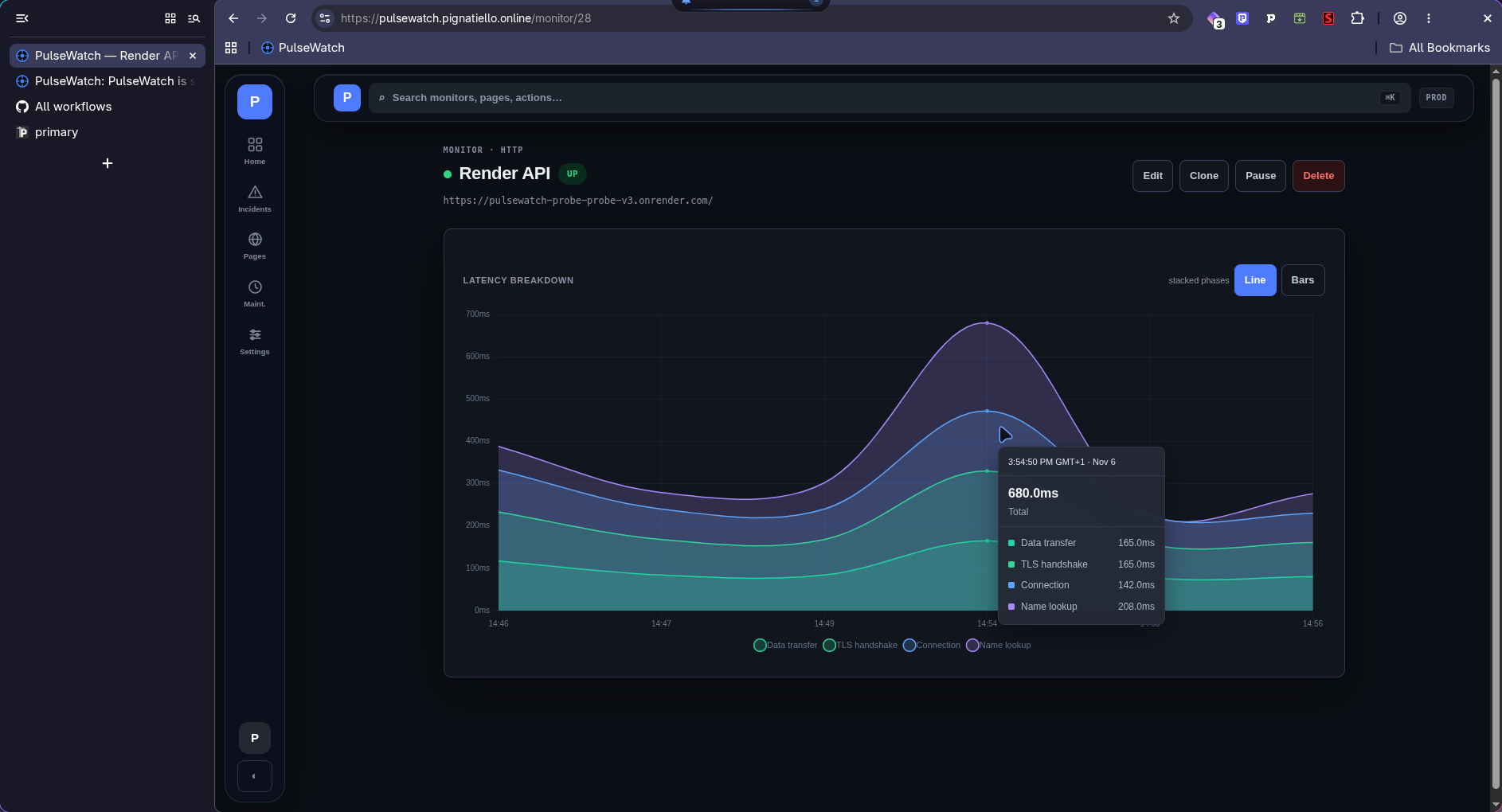
It now shows response time trends, status codes, and per-probe history in one place, matching the rest of the PulseWatch app.
The PulseWatch Team
💬 Comments
Questions, corrections or thoughts on this post? Join the thread below.